The FIFINE AmpliGame SC3 combines an XLR microphone input, four independently controlled audio channels, and quick-access effects in a desktop mixer for streaming and recording.
This fifine audio mixer sc3 review focuses on who can make practical use of its hands-on controls and what to consider before connecting a setup.
FIFINE SC3 Mixer Review Summary
The quick verdict
4,000+ ratings
Read Amazon ReviewsFIFINE AmpliGame SC3
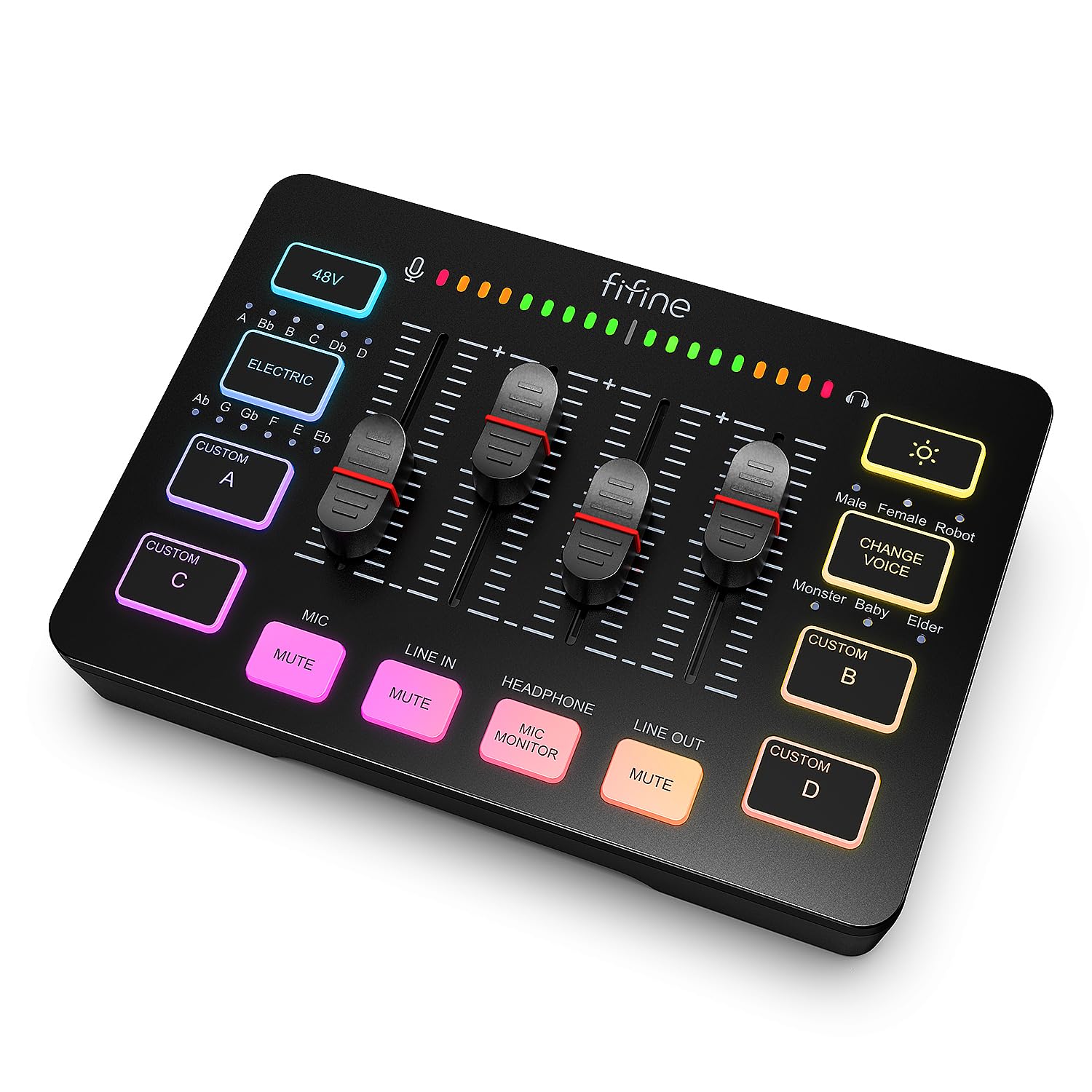
A compact option for streamers and podcasters who want physical control, an XLR microphone input, monitoring, and quick sound effects.
- One XLR microphone input with built-in 48V phantom power for compatible condenser microphones; the XLR cable is not included.
- Four independent level controls for microphone, line-in, headphone, and line-out channels.
- Front-panel mute and real-time monitoring buttons.
- Four customizable sound buttons, six voice-changing modes, and 12 auto-tune changes.

Pros
- Separate physical controls make it easier to adjust several audio paths without navigating software menus.
- Built-in phantom power supports compatible condenser microphones without a separate phantom-power unit.
Consider before buying
- The microphone connection is for XLR microphones; USB microphones are not supported through it.
- An XLR cable is not included, so buyers using an XLR mic should plan for a compatible cable.
Read the full review summary
The SC3 is designed for a creator who wants to adjust microphone, line-in, headphone, and line-out levels directly on the mixer rather than relying only on software controls.
Its front mute and monitoring buttons also make common tasks easy to reach during a stream or recording session.
Four customizable sound buttons, voice effects, and RGB lighting add options for live content, while the XLR input and built-in 48V phantom power support compatible microphones.
It suits beginner streamers and podcasters with an XLR mic and a straightforward desktop workflow; buyers should confirm the connection layout fits their particular computer and audio sources.
The buying factors
FIFINE SC3 Mixer Scorecard
Editorial scores reflect listed features and buyer fit; they are not laboratory measurements or customer ratings.
Hands-on channel control
Four independently adjusted levels cover microphone, line in, headphones, and line out.
Microphone flexibility
An XLR input and 48V phantom power support compatible condenser microphones, but USB microphones are not supported through this input.
Live-session controls
Front mute and monitoring buttons provide quick access to useful streaming controls.
Soundboard and voice effects
Four customizable sound buttons, six voice-changing modes, and 12 auto-tune changes offer variety for interactive content.
Connection versatility
USB-C computer connection and 3.5 mm line-in support common streaming and audio-mixing scenarios, including a described two-PC setup.
Setup simplicity
The mixer is described as plug and play for Windows and Mac, though buyers still need to check their cable and port requirements.
Key Features and Specifications of FIFINE SC3 Mixer
- One XLR microphone input with built-in 48V phantom power for compatible condenser microphones; the XLR cable is not included.
- Four independent level controls for microphone, line-in, headphone, and line-out channels.
- Front-panel mute and real-time monitoring buttons.
- Four customizable sound buttons, six voice-changing modes, and 12 auto-tune changes.
- Controllable RGB lighting with flowing or static color options.
- USB-C connection to a Windows or Mac computer and a 3.5 mm line-in for compatible audio devices; the described setup supports two-PC use.
Pros and Cons of FIFINE SC3 Mixer
Pros
- Separate physical controls make it easier to adjust several audio paths without navigating software menus.
- Built-in phantom power supports compatible condenser microphones without a separate phantom-power unit.
- Front mute and monitoring controls are convenient for live sessions.
- Custom sound buttons and voice effects provide quick creative options for streams and game chat.
Consider before buying
- The microphone connection is for XLR microphones; USB microphones are not supported through it.
- An XLR cable is not included, so buyers using an XLR mic should plan for a compatible cable.
- The feature set emphasizes creator controls and effects; buyers seeking a mixer with a broader set of inputs should check whether its listed connections cover their equipment.
Who Should Buy FIFINE SC3 Mixer?
Good fit
Consider the SC3 if you stream, record a podcast, or join game chat with an XLR microphone and want direct control over microphone, line-in, headphone, and output levels.
Having a dedicated fader and front mute and monitor buttons can make routine changes more immediate while you stay focused on a live session.
It is also a good fit if you plan to use sound cues or voice effects as part of your content.
The four customizable buttons, six voice-changing modes, and 12 auto-tune changes give you options to add quick reactions or vary your voice without making the lighting the main attraction.
Before choosing it, map your devices to the listed connections. Check the computer port and USB-C cable arrangement, whether you need the 3.5 mm line-in, and whether you already have a suitable XLR cable.
Who should skip it
Choose a different connection approach if your microphone is USB and you need to plug it directly into the mixer’s microphone input; this model’s mic input is for XLR.
Look for a more suitable unit if your setup depends on audio connections or routing beyond the SC3’s listed mic, line-in, headphone, and line-out channels. Confirm the ports you need before buying.
How the FIFINE SC3 Mixer Fits a Streaming Setup
Four channels offer practical control
The SC3’s four independently controlled channels separate microphone, line-in, headphone, and line-out levels.
For a creator balancing a voice mic with another audio source, those controls offer a hands-on alternative to making every adjustment in streaming or game software.
Buyers should decide which sources they want to adjust independently and check that this channel layout matches.
XLR support shapes microphone choice
The XLR input and built-in 48V phantom power open the setup to compatible condenser microphones.
The product description explicitly excludes USB microphones, so the SC3 is most relevant to buyers who already use, or intend to use, an XLR mic.
An XLR cable is a separate purchase if one is not already on hand.
Effects suit interactive content
Four customizable sound buttons, six voice-changing modes, and 12 auto-tune changes give streamers ways to trigger audio or alter their voice during content.
These controls are most useful when effects are part of the creator’s style; they may matter less to someone who wants only basic level adjustment and microphone monitoring.
Plan the physical connections
USB-C connects the mixer to a computer, and the 3.5 mm line-in can connect a compatible phone, tablet, or other audio device. The listed setup also describes two-PC use.
Since the appropriate cable depends on the devices being connected, check your computer ports and intended audio path before purchase.
Alternatives to FIFINE SC3 Mixer
DJ Mixers alternative
4,000+ ratings
Read Amazon ReviewsFIFINE AmpliGame SC3W
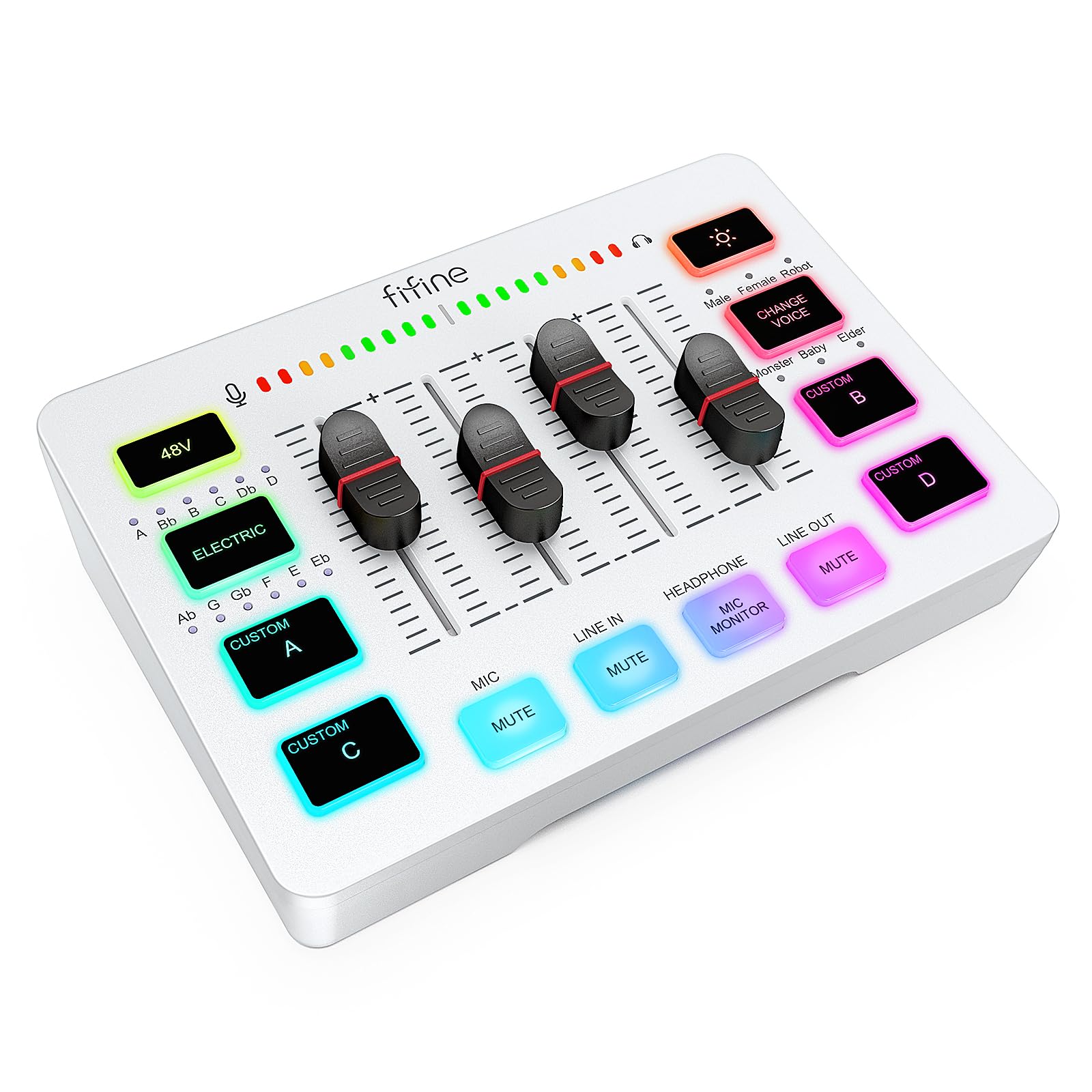
Compare the SC3W if you are also considering a mixer built around the same core streaming functions. The supplied feature descriptions overlap substantially, so choose based on the exact connection layout and controls that suit your setup.
- The SC3W description also lists four independent controls, XLR input with 48V phantom power, mute and real-time monitoring, RGB lighting, voice changes, and customized sound buttons.
- The SC3 has four separate channel controls, front mute and monitoring buttons, four customizable sound buttons, and six voice-changing modes.
DJ Mixers alternative
300+ ratings
Read Amazon ReviewsFIFINE AmpliGame SC8
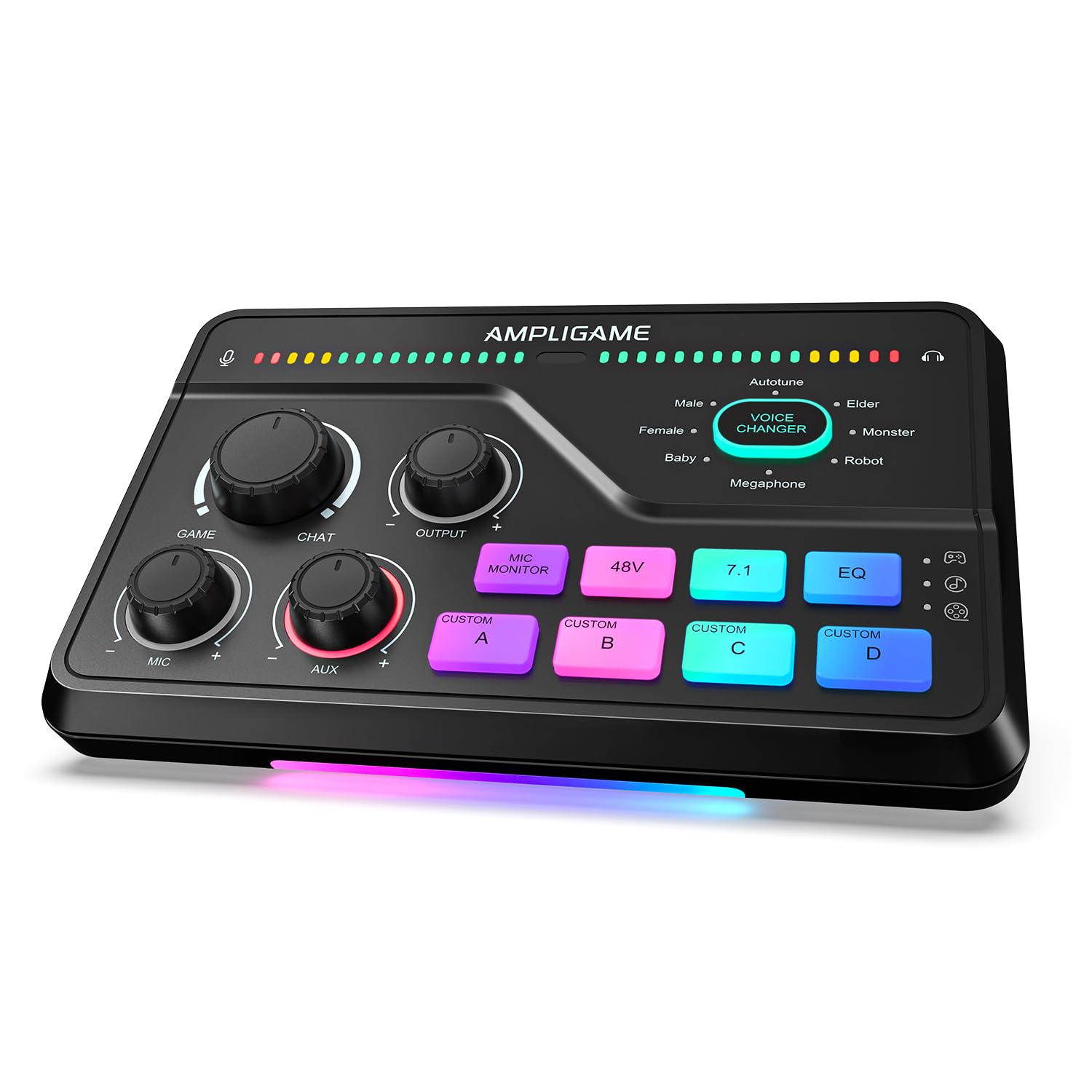
Consider the SC8 if game and chat balancing, surround virtualization, or a 6.35 mm microphone connection are priorities. The SC3’s described feature set centers on its four channel faders and creator effects.
- The SC8 description adds virtual 7.1 surround, a Game/Chat balance dial, three EQ modes, optical AUX, and support for XLR or 6.35 mm microphones.
- The SC3 focuses on four channel faders, XLR microphone input, monitoring, and customizable sound buttons for a desktop streaming workflow.
Is FIFINE SC3 Mixer Worth It?
The FIFINE AmpliGame SC3 is worth considering for beginner streamers and podcasters who use an XLR microphone and want simple, physical control over several audio channels.
Its front mute and monitoring controls, customizable sound buttons, and voice effects make it a creator-focused choice.
Check the connection layout and cable needs before buying, especially if you use a USB mic or need more audio routing than its listed channels provide.
If those constraints fit your setup, the SC3 brings useful hands-on controls and content effects into one desktop mixer.
Your review at a glance
4,000+ ratings
Read Amazon ReviewsFIFINE AmpliGame SC3
A compact option for streamers and podcasters who want physical control, an XLR microphone input, monitoring, and quick sound effects.
- One XLR microphone input with built-in 48V phantom power for compatible condenser microphones; the XLR cable is not included.
- Four independent level controls for microphone, line-in, headphone, and line-out channels.
- Front-panel mute and real-time monitoring buttons.
- Four customizable sound buttons, six voice-changing modes, and 12 auto-tune changes.